

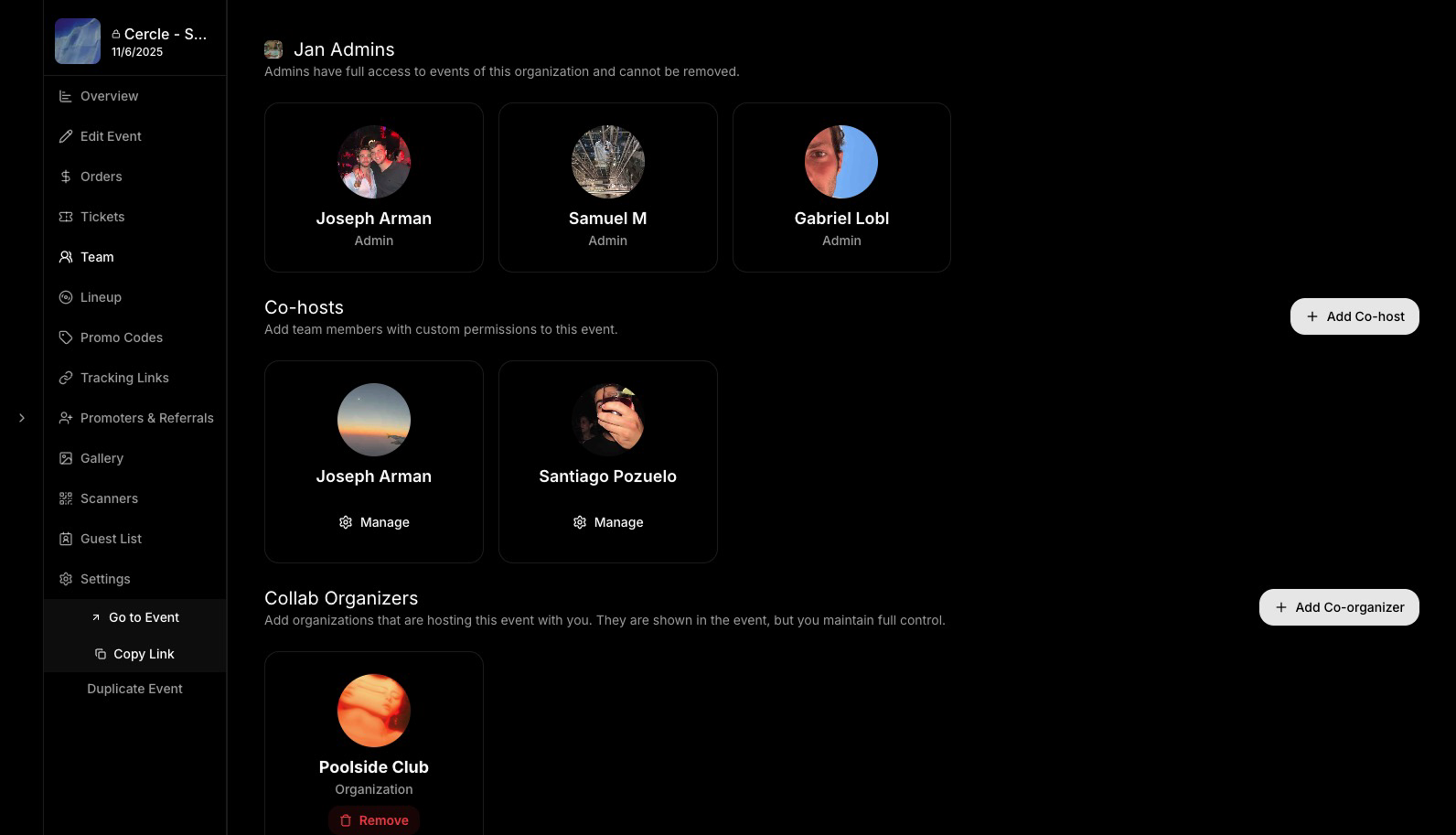
Team Roles
- Admins: All the admins of your organization, full access to your event.
- Co-Hosts: Individual users you add for specific events. You can assign them exactly the permissions you want.
- Collab Organizers: Other organizations you are collaborating with. Shown in the event view but does not give them access to anything.
Co-organizers cannot manage the event unless granted additional permissions. More permission settings coming soon.
Adding a Co-Host
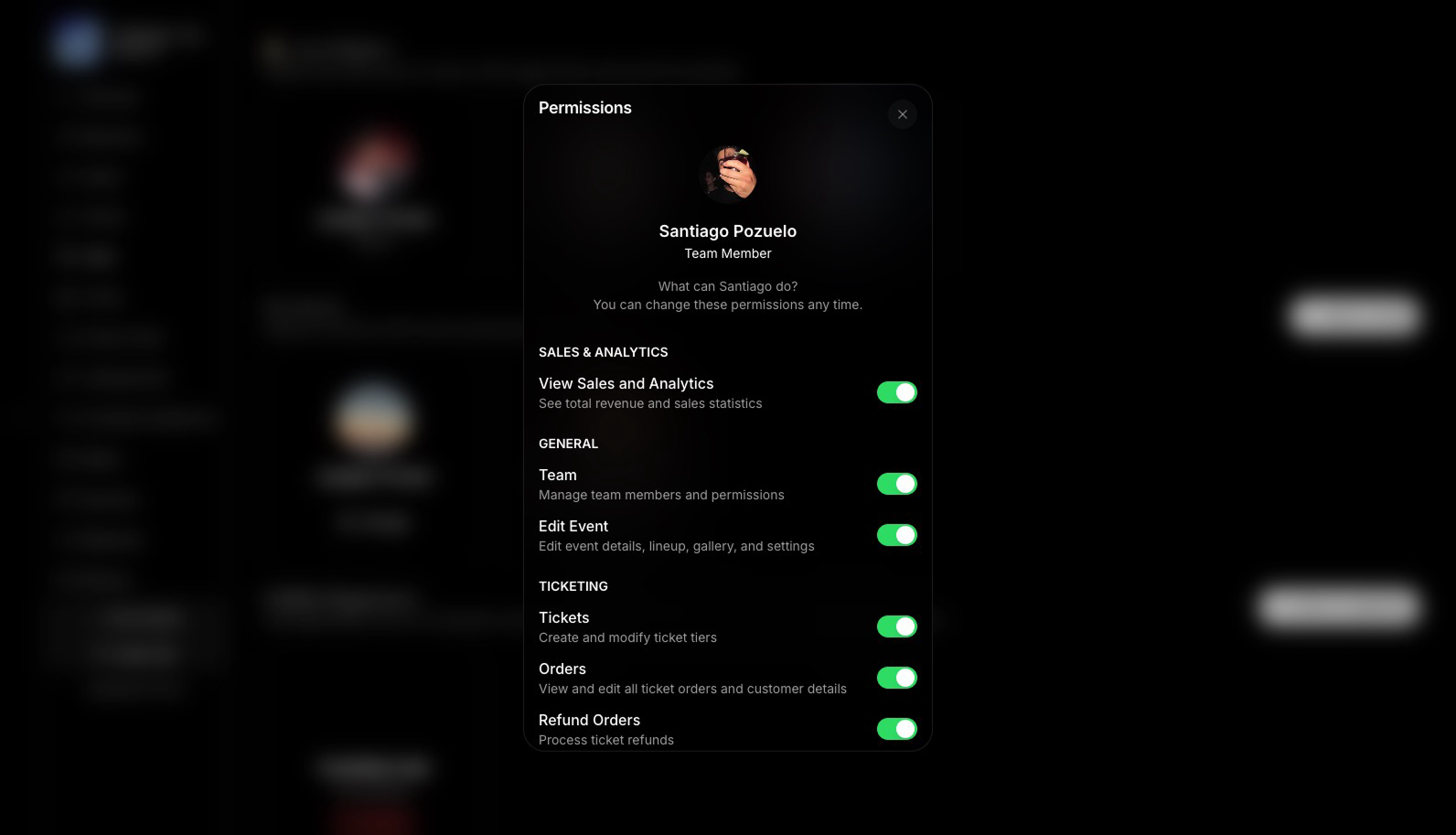
- Click “Add CoHost” in the Team page
- Search for the person you want to add (must be a Bubbl user)
- When adding, you canEdit Permissions
- The new member will receive a push notification and have access to a customized Manage Event view.
All added team members (co-hosts or scanners) will have access based on their role.