

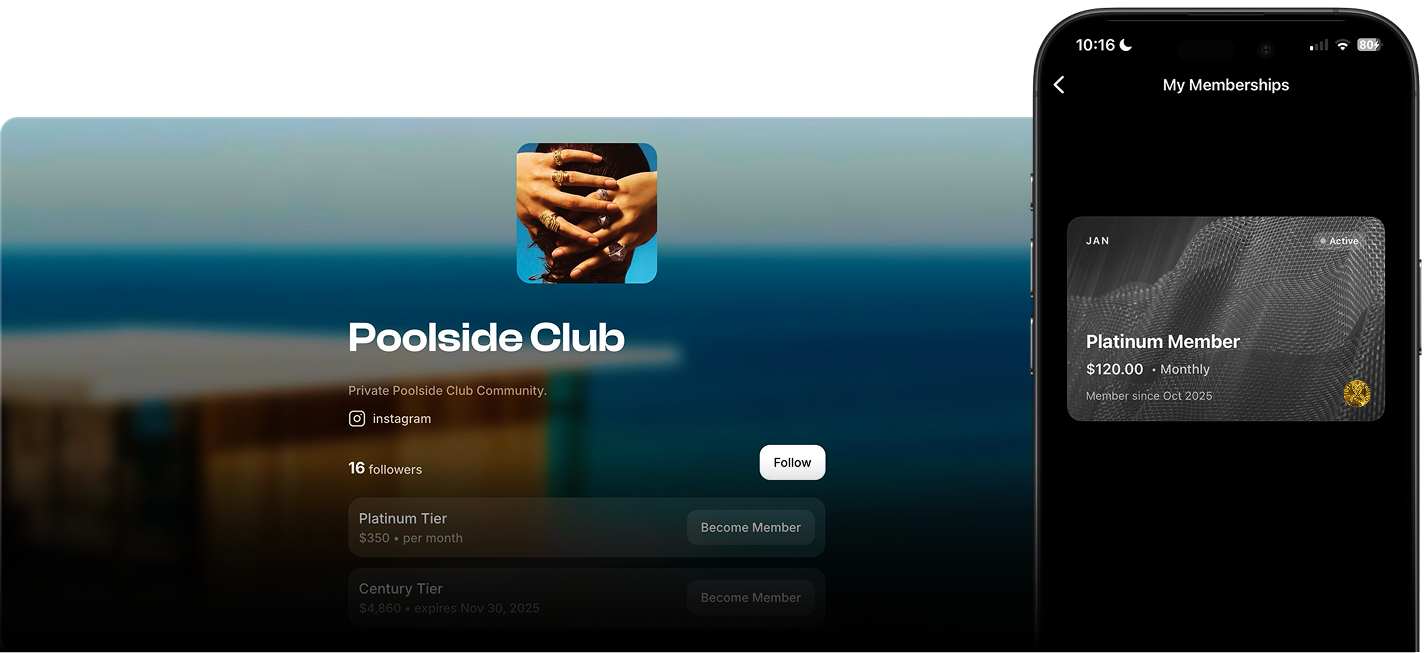
Use Cases
For Nightlife Brands
For Nightlife Brands
Turn your followers into a private guestlist:
- Offer priority entry, discounted tickets, or exclusive tables.
- Reward loyalty, members always get access first.
- Partner with venues or sponsors: “Members drink free until midnight,” “Members get 10% off bottles.”
For Wellness, Fitness Communities
For Wellness, Fitness Communities
Simplify your subscription model:
- Offer weekly passes or monthly recurring memberships.
- Use member-only event tiers for classes or retreats.
- Combine with sponsors: “Members get free samples from X brand.”
For Creators & Collectives
For Creators & Collectives
Turn your following into a paid community:
- Create tiers for supporters, VIPs, or early access.
- Offer exclusive digital or IRL perks.
- Build loyalty and retention without external platforms.
How This Unlocks New Revenue Streams
Memberships let you diversify beyond ticketing:- Recurring income: predictable monthly revenue independent of events.
- Member-only events: sell higher-tier access or bundles for loyal customers.
- Sponsorship leverage: offer brands guaranteed visibility across your recurring member base.
- Loyalty ecosystem: turn event buyers into recurring paying members.
- Community data: track engagement, renewals, and churn directly in Bubbl analytics.
Creating Memberships
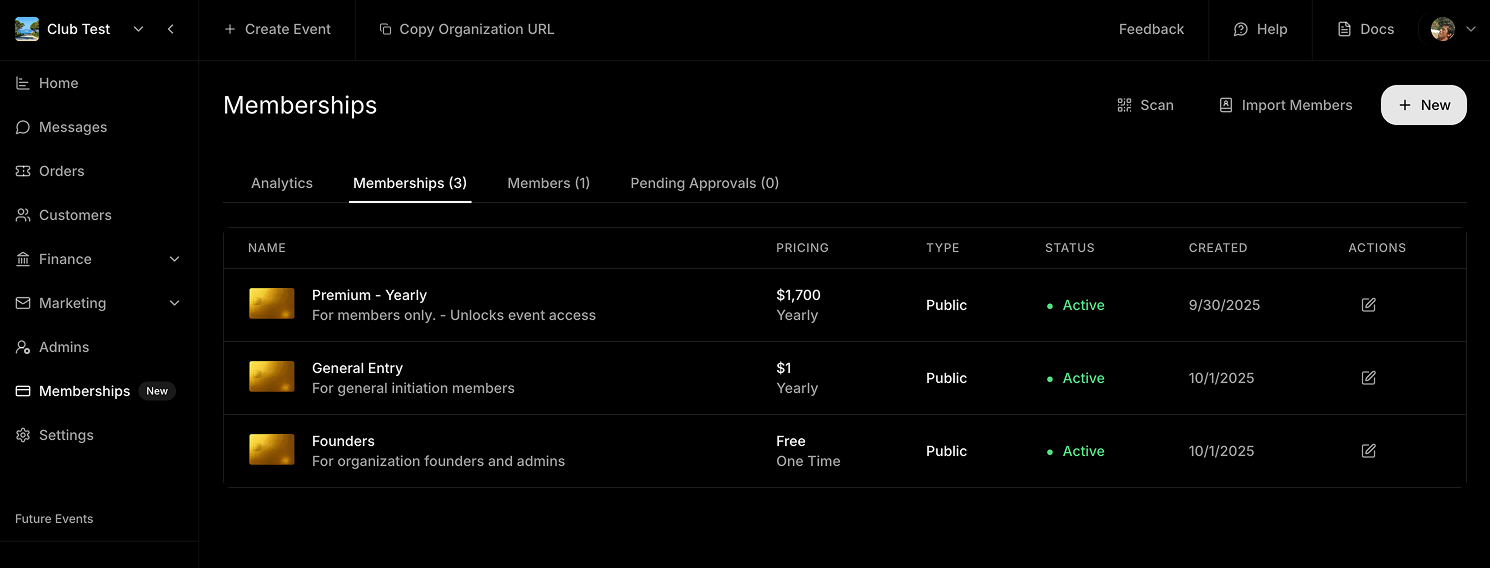
Step 1 - Create
Step 2 - Configure Details
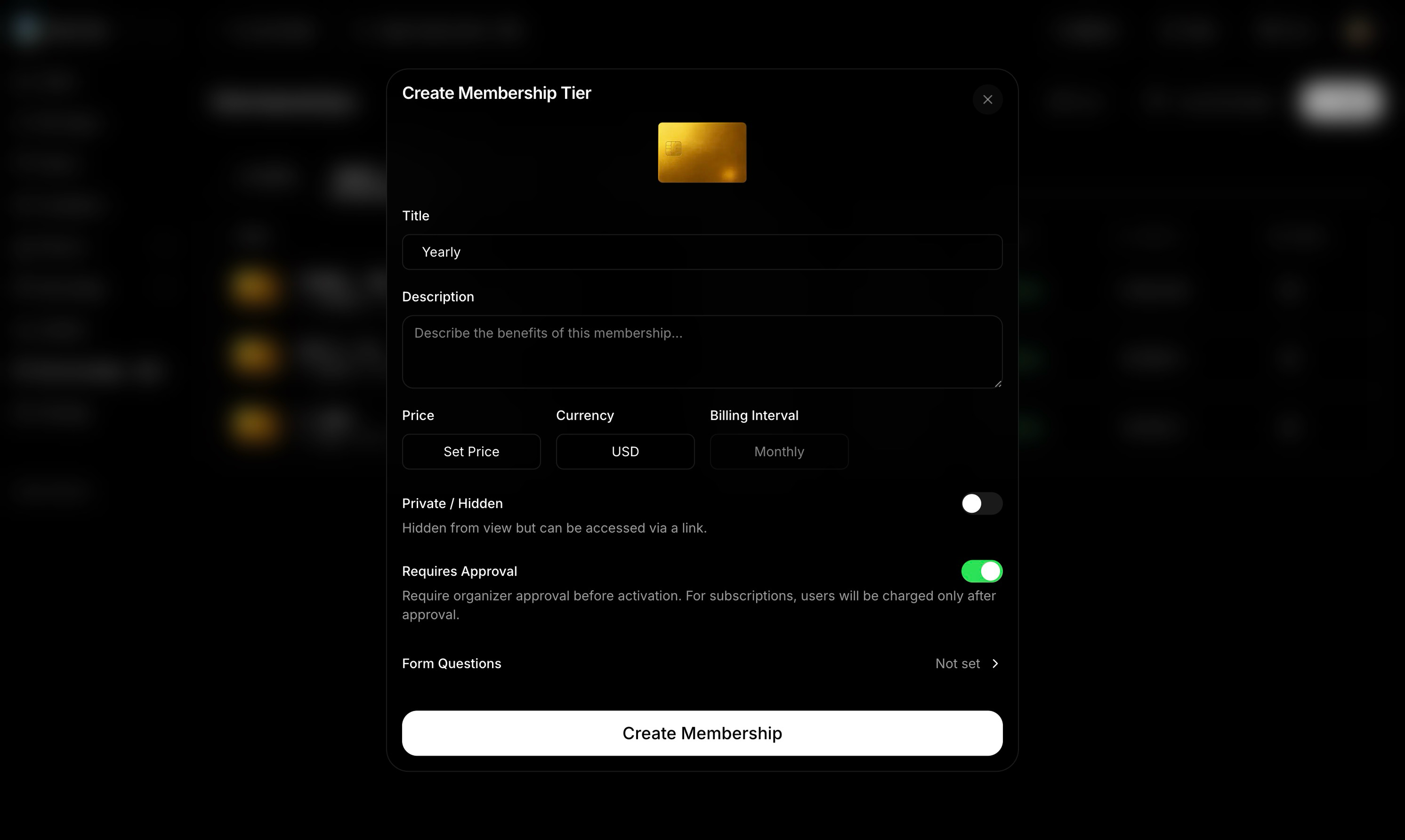
- Title & Description: what’s included or who it’s for.
- Price, Currency & Interval: choose between one-time, monthly, or yearly.
- Private / Hidden: toggle on if you want a direct-link-only membership.
- Requires Approval: toggle on if you want to review applicants.
- Form Questions: add questions (e.g. “What’s your major?”, “How did you hear about us?”, “Agree to Terms”).
💡 Pro tip: Use short, simple questions to filter members without friction.
Step 3 - Track and Manage
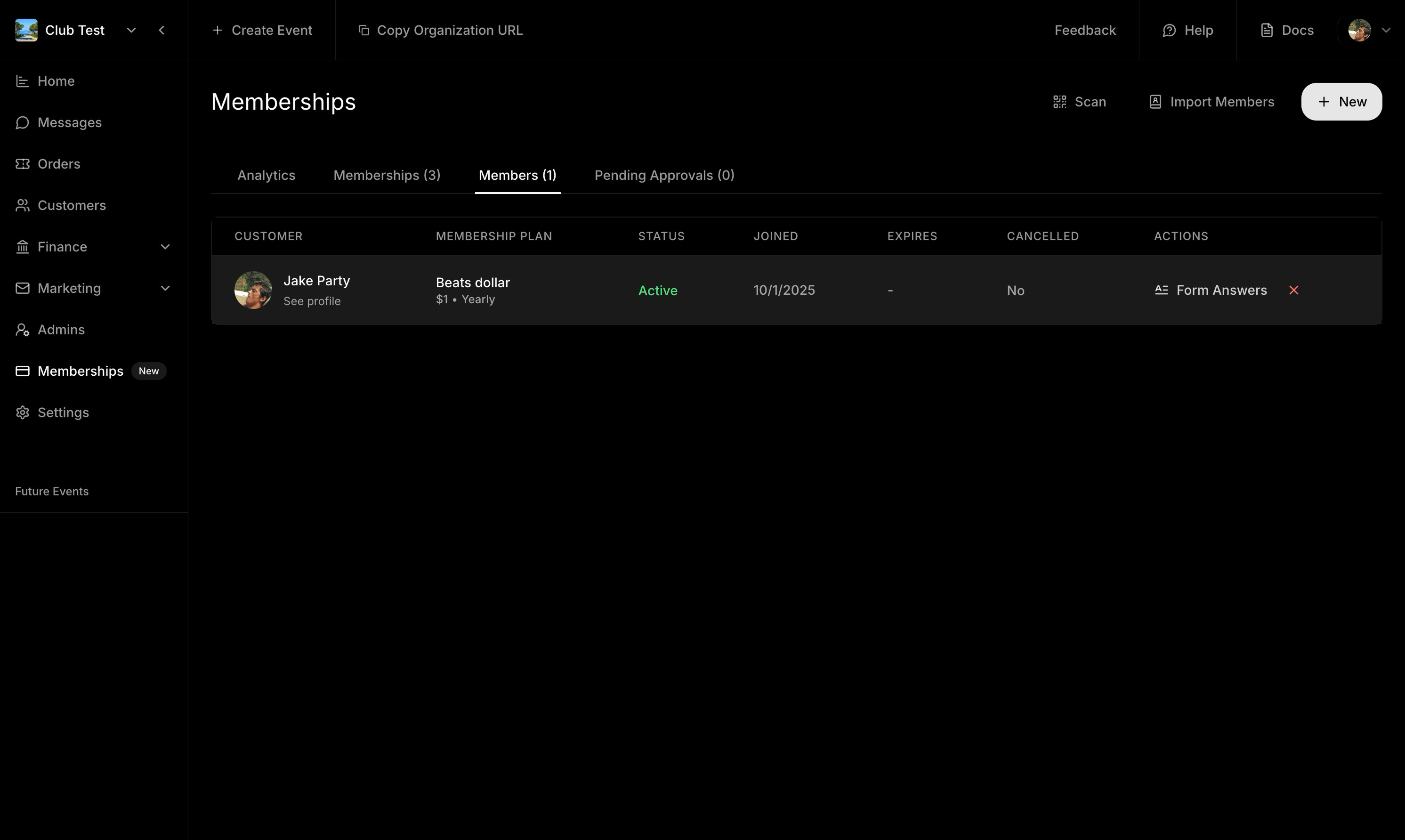
Your membership is now live on your community page.
View Members
Navigate to Memberships → Members to see:- Active, pending, or cancelled members
- Join dates and renewal cycles
- Form answers
Approve or Decline Memberships
If your membership requires approval:- Pending applications appear under Pending Approvals.
- Click Approve or Decline approved members are not automatically charged.
Scan Memberships
Use the in-app Membership Scanner to validate memberships outside of events ideal for clubs, recurring experiences, or wellness check-ins.Analytics
Under Analytics, track:- Net revenue after fees
- Active members
- Revenue growth over time
Web Experience
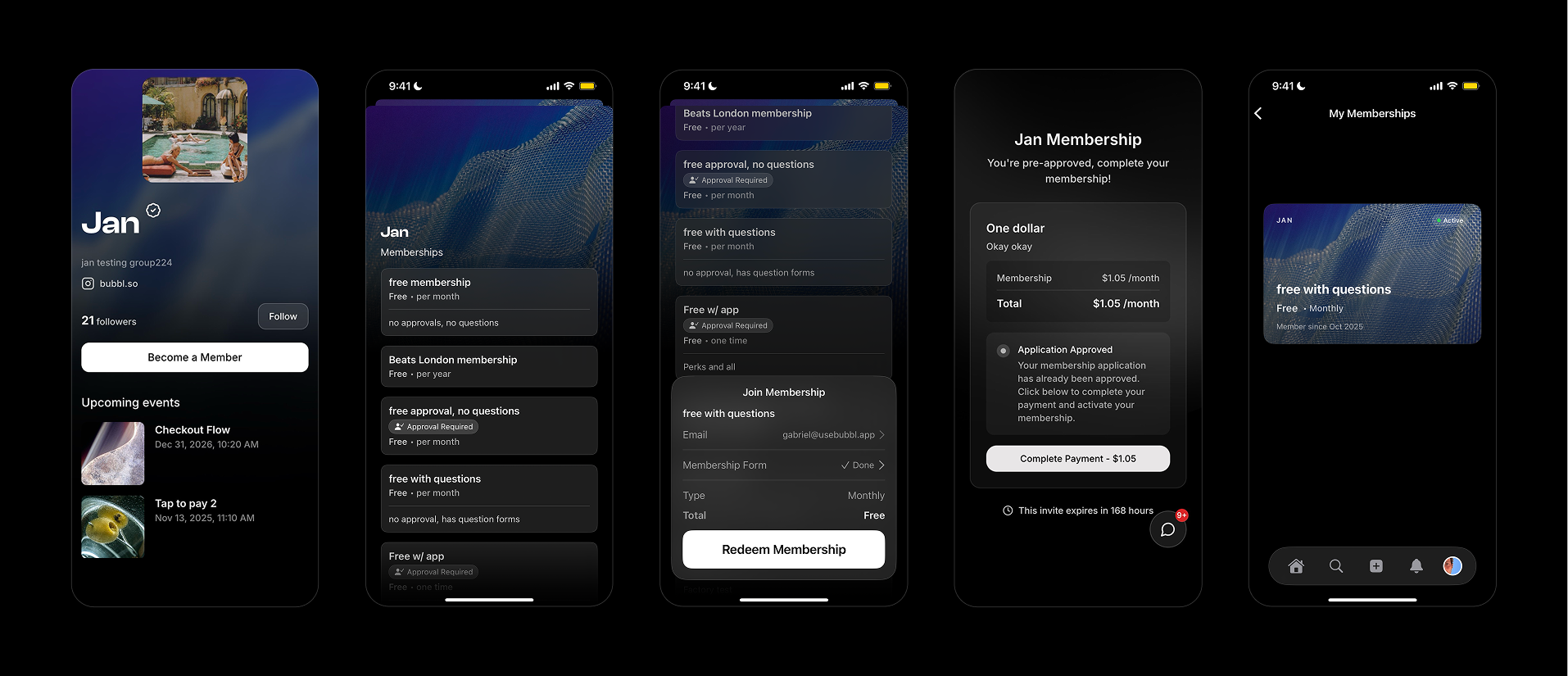
- View and renew memberships
- Update payment methods
- Access their QR card
- Cancel subscriptions
- Check billing history
Approved members receive an invite link where they complete payment and activation.
Best Practices & Growth Tips
1. Keep It Visible
Always make your membership visible, even if your events are member-only. Visibility drives curiosity and conversions.2. Offer Small Perks That Matter
Examples:- Free or early entry
- Discounted drinks or merch
- Access to members-only group chats
- Surprise event invites
3. Bundle With Events
Every new event is a chance to sell memberships.Offer special “Member-Only” tiers or a discounted “Join + Ticket” option.
4. Reward Consistency
Highlight members publicly (leaderboards, shoutouts) or offer exclusive merch to renewals.5. Pitch Sponsors with Data
Show your consistent membership base to attract sponsors:“We have 150 paying members with 80% renewal, sponsor perks go directly to our core audience.”